



Reliable USB Hub for Recording Studios & Audio Racks
Reliable USB Hub for Recording Studios & Audio Racks
Solving Dropouts, Dead Ports and Long-Cable Problems in Professional Audio Workflows
✓ USB 3.2 Gen1 5Gbps on all ports✓ 4 / 7 / 10-port Type-C hubs✓ 19-inch 1U rack-mount (13 / 16 ports)✓ Stable external DC power✓ ESD & surge protection✓ DIN-rail / wall / desktop / rack✓ Long-distance cable options✓ OEM / ODM available
The Challenge: Why Standard USB Hubs Fail in the Studio
A modern recording setup is full of USB devices: audio interfaces, MIDI controllers, converters, license dongles, storage drives and outboard gear. Most studios connect them through a hub, and most only notice the hub when something goes wrong in the middle of a session.
In audio work, a brief USB interruption is never a small inconvenience. It can mean a click in the recording, a device that resets mid-take, or a session that has to be restarted. These faults are usually intermittent, which makes them hard to reproduce and even harder to diagnose.
Below are the six problems we hear about most often from audio professionals using ordinary desktop USB hubs.
■ Not All Ports Work at the Same Time A hub may offer 4, 7 or 10 ports on paper, but trouble starts when several devices run together. One device drops when another is plugged in, a port stops responding, or the audio interface disconnects during a drive transfer. The cause is often poor sharing of bandwidth and power across all ports at full load. | ▲ Dropouts and Glitches During Recording A short USB interruption can show up as a pop or click in the recording, a device reset, or a lost take. Because these faults appear at random, studios often waste hours swapping cables and ports without finding the real cause. | ★ Equipment Far from the Computer Racks, effects and converters are often placed in a machine room, under a desk or across the studio. Standard passive USB cables are only reliable over a few meters, and stacked extensions or adapter chains make connections unstable. Studios need a clean way to run 10 meters or more without extra connection points. |
◆ Unstable Power for Bus-Powered Devices Many audio devices draw power straight from the USB port. An underpowered hub or a poor-quality adapter causes voltage drops, random restarts and behavior that changes from one session to the next. Hub makers rarely explain how to size the power supply for a full set of devices. | ● Consumer Hubs Are Not Built for Studio Use Lightweight desktop hubs slide around, cables get knocked out, and there is no proper way to mount them in a rack or under a desk. They are designed for occasional office use, not for running many hours every day in a working studio. | ▸ Unclear Specifications Product listings often say only "USB 3.0" and the number of ports. They rarely say whether every port gets full speed, how much power each port can supply, or which power adapter is required. Buyers usually find out after the purchase. |
The Solution: Industrial USB Hubs Built for Studio Desks and Audio Racks
AOK Electronics designs industrial USB hubs for continuous, fixed installations rather than occasional desktop use. Two product families cover most audio setups:
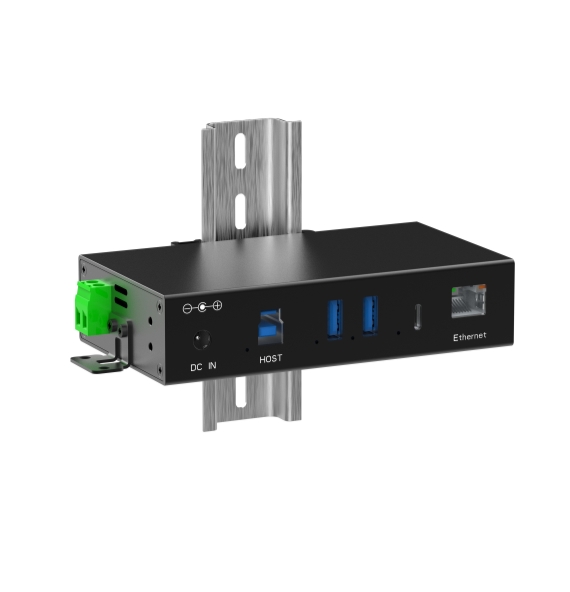
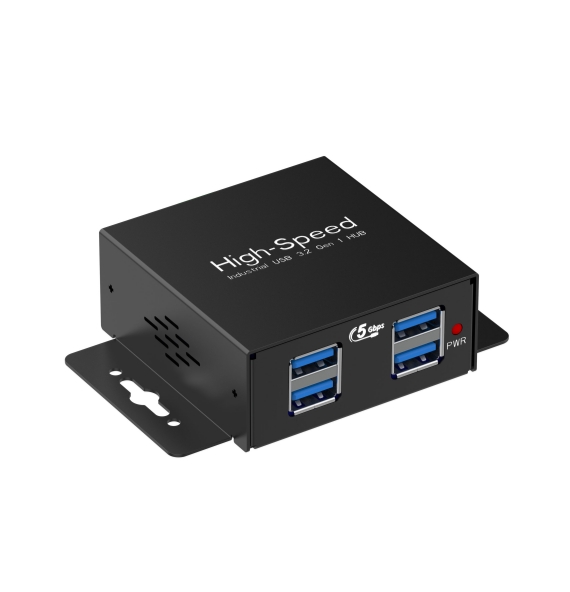
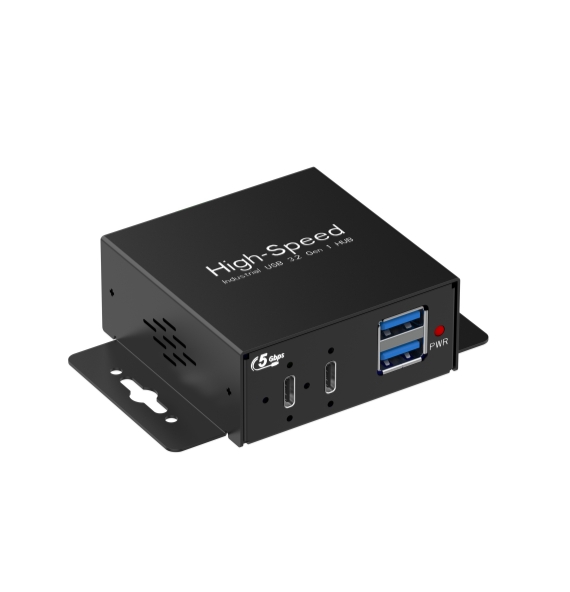
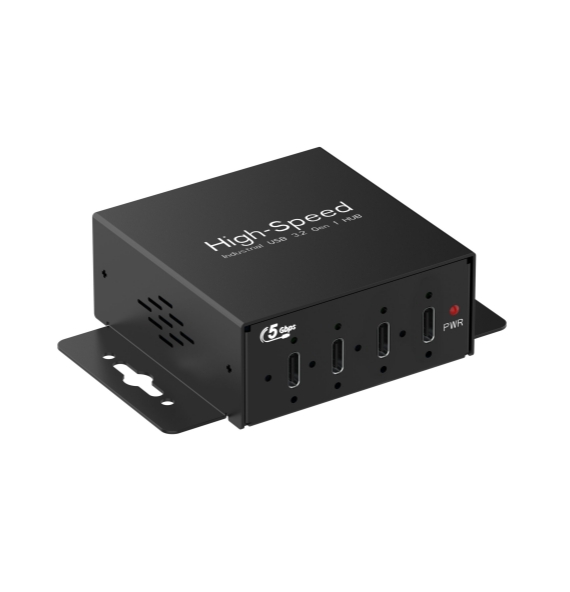
Industrial Type-C Hub series (TP04C / TP07C / TP10C) — compact 4-, 7- and 10-port metal hubs with USB 3.2 Gen1 (5 Gbps) speed on every port. They sit on a desk, mount under it, or fix to a wall or DIN rail.
19-inch 1U rack-mount hubs (1UTP13 / 1UTP16) - high-port-count USB 3.2 Gen1 hubs that fit standard equipment racks, so USB devices can live in the rack next to the rest of the gear.
Both families use an external DC power input, rugged protection and a housing designed to stay in place, and both can be combined with long-distance cable solutions when the equipment is far from the computer.
Key Advantages for Audio Workflows
■ Full USB 3.2 Gen1 Speed on Every Port No slow "bonus" ports. Every downstream port runs at 5 Gbps and shares the upstream link. Audio interfaces and MIDI devices use only a small part of that bandwidth, leaving room for drives and other peripherals on the same hub. | ▲ Dedicated External Power Powered by a 12-24V DC input, so bus-powered devices are not left to a weak computer port. The TP series delivers up to 5V/3A per port with BC1.2 support, and the 1UTP16 supplies up to 10W per port. | ★ Ready for Long Cable Runs Pair the hub with active optical USB cables or USB extenders to place racks, converters and effects well away from the computer, without chains of adapters and passive extensions. |
◆ Built for Continuous Duty Metal housing with ESD and surge protection on the ports. The TP series is rated 8kV contact / 15kV air discharge and 350W surge, and works from -40C to 85C, so it copes with long daily running hours and warm equipment racks. | ● Mounts Where You Need It TP series: desktop, wall or DIN-rail mounting. 1UTP series: standard 19-inch 1U rack mounting with LED status indicators, so connected ports can be checked at a glance. | ▸ Clear Specifications Port speed, per-port power, input voltage and recommended power adapter are stated up front, so you can size the system before you buy rather than after. |
Choose the Right Model
| TP04C | 4-port Type-C hub - compact setups: audio interface, controller, drive and dongle on one desk. |
| TP07C | 7-port Type-C hub - mid-size studios with several interfaces, controllers and storage devices. |
| TP10C | 10-port Type-C hub - larger setups that need many devices connected at the same time. |
| 1UTP13 | 13-port 19-inch 1U rack-mount hub - rack-based studios and machine rooms. |
| 1UTP16 | 16-port 19-inch 1U rack-mount hub - the highest port count, for large racks and multi-room studios. |
Placing Gear Far from the Computer
Standard passive USB cables are only reliable over a few meters. When the rack or machine room is further away, choose one of these long-distance options instead of chaining extension cables:
Active Optical USB Cables A single-piece cable runs from the computer to the hub over 10 meters and beyond, with no adapters or joints in the path. Fewer connection points means fewer places for a connection to fail. Best for a control-room computer linked to a rack. |
USB Extenders over Cat5e / Cat6 Extend USB up to 120 meters over standard network cabling. A good fit when cable routes through walls or conduits are already installed. |
Fiber USB Extenders Extend USB up to 20 kilometers over optical fiber, for broadcast facilities, campuses and multi-building installations. Fiber also keeps the link free of electrical interference. |
Supported speed depends on the extension method. Tell us your cable distance and the devices you plan to connect, and we will recommend the right combination.
Sizing the Power Supply
The most common cause of unstable bus-powered devices is a power adapter that is too small for the total load. Add up the current drawn by every device you plan to connect, then choose an adapter with headroom.
As a guide, a 24W or higher adapter suits the 4-port TP04C, and a 70W adapter suits the 10-port TP10C. The TP series accepts 12-24V DC through a DC 5.5*2.5mm connector or a 2-pin terminal, so it can also be powered from an existing DC supply in the rack.
Typical Studio Setups
Project & Home Studios A TP04C or TP07C connects the audio interface, MIDI controller, storage drive and license dongles from one powered hub. The metal housing stays put, and wall or under-desk mounting keeps cables tidy. |
Professional Studios with a Machine Room A 1UTP13 or 1UTP16 goes into the equipment rack beside converters and outboard gear, linked to the control-room computer through a long-distance cable. All USB devices are then powered and managed in one place. |
Podcast, Broadcast & Streaming Setups A TP07C or TP10C handles multiple microphones, mixers, cameras and capture devices at once, and is designed to run for many hours every day. |
Technical Specifications
| Type-C Hub Series | TP04C (4 ports) / TP07C (7 ports) / TP10C (10 ports) |
| Data Speed (TP) | USB 3.2 Gen1, 5 Gbps on all ports |
| Power Output (TP) | BC1.2 fast charging, 5V/3A per port |
| Power Input (TP) | 12-24V DC via DC 5.5*2.5mm port or 2-pin terminal |
| Protection (TP) | ESD 8kV (contact) / 15kV (air); surge 350W |
| Housing & Mounting (TP) | Black aluminum alloy; DIN-rail, wall or desktop |
| Operating Temperature (TP) | -40°C to 85°C |
| Rack-Mount Series | 19-inch 1U: 1UTP13 / 1UTP16 |
| Ports (1UTP16) | 1x USB-B upstream; 16x USB Type-A downstream, USB 3.2 Gen1 5 Gbps |
| Power (1UTP16) | 12-24V DC input (DC 5.5*2.5mm); up to 10W per port with BC1.2 fast charging |
| Protection & Housing (1UTP16) | ESD and surge protection on all ports; LED status indicators; black metal housing |
Why AOK
AOK Electronics has designed and manufactured industrial USB products since 2008, with its own SMT lines and injection-molding workshop in Zhongshan, China. Our products are CE, FCC and RoHS certified.
As an OEM/ODM manufacturer, we can customize branding, port configuration, power and housing for studio equipment brands, system integrators and distributors, from small pilot batches to large production runs.
Ready to fix your studio's USB connections?
Contact our sales team for specifications, pricing, sample availability and long-distance cable recommendations. OEM/ODM customization available.
Contact Us →- Previous None
- Next Custom Industrial USB Hubs for Automation & Machine Vision Systems
AOK Electronics Co., Ltd.
- Factory Add.:Bldg A, No.9 Changyi Rd, Wuguishan Town, Zhongshan, GuangDong, China 528400
- Tel:+86 760 8993 5569
- :
- E-mail:info@aok-top.com

